

E-Mode
High Efficiency Mode (E-mode)
The E-mode feature maximizes capital efficiency when collateral and borrowed assets have correlated prices. SparkLend currently groups assets into two E-Mode categories: ETH Correlated (ETH, wstETH, rETH) and Stablecoins (USDC, USDT, sDAI, sUSDS, PYUSD). Assets in the same category are price-correlated, so borrowing within a category unlocks higher collateralization power — for example, supplying wstETH as collateral in E-mode gives you higher borrowing power when borrowing ETH.
The exact category membership and risk parameters are set by Sky Governance and can change over time. Some assets shown in a category may be deprecated or frozen while being offboarded — they remain in the category but are no longer recommended for new positions. The SparkLend app shows the categories and each asset's current status.
Only assets of the same category (for example stablecoins) can be borrowed in E-mode.
E-mode does not restrict the usage of other assets as collateral. Assets outside of the E-mode category can still be supplied as collateral with normal LTV and liquidation parameters.
How do I enter E-mode?
To enter E-Mode, go to My portfolio and find the Borrow section. Here you will find an E-Mode Toggle, which you can click.

You can then select which E-mode category you wish to choose.
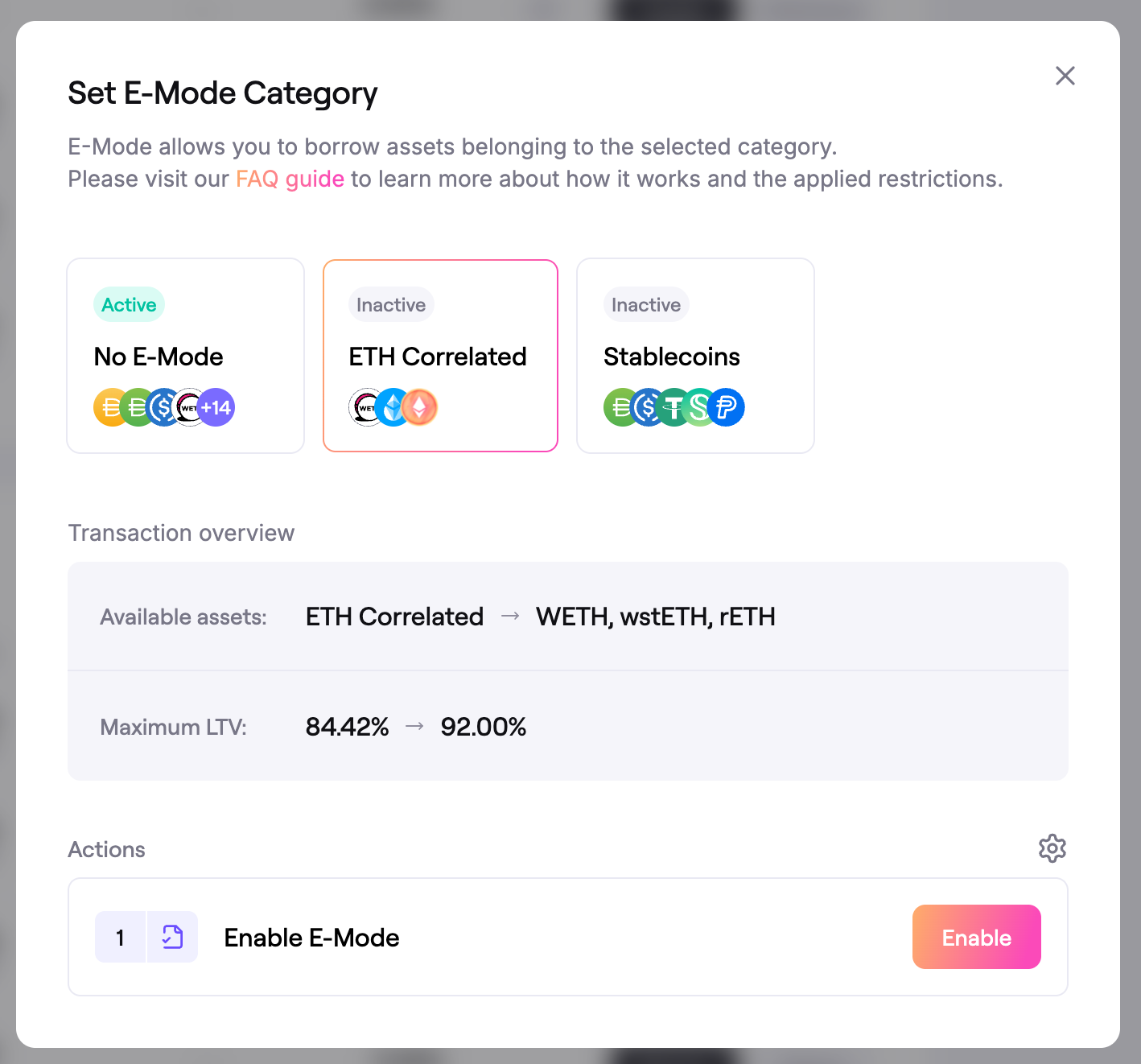 Selection of E-Mode Category
You then submit the transactions in the Actions section to enable E-Mode.
How do I exit E-mode?
To exit E-mode, go to the My portfolio page and navigate to the Borrow section. Click on the E-Mode toggle and select No E-mode in the popup window. Carry out the transactions in the Actions section to exit E-mode.
How does E-mode affect my borrowing power?
When E-mode is enabled, you will have higher borrowing power over assets of the same E-mode category.