

Savings Liquidity Intents
Savings Liquidity Intents let users request larger withdrawals from Spark Savings when the amount exceeds the idle liquidity currently available in the vault. Initially, this flow is available only on Ethereum Mainnet for Spark Savings USDC and Spark Savings USDT.
Spark Savings vaults keep a portion of assets as instantly withdrawable liquidity. In the app, this is shown as Idle in the Liquidity tab. This idle liquidity acts as the minimum withdrawal buffer kept in the vault. When users withdraw from that buffer, the Spark Liquidity Layer refills it again. For larger withdrawals that exceed the currently available idle liquidity, the app can use Savings Liquidity Intents and submit an asynchronous withdrawal request that is usually fulfilled within a few minutes.
Check available idle liquidity
- Navigate to the Savings page in the Spark App and select the USDC or USDT vault.
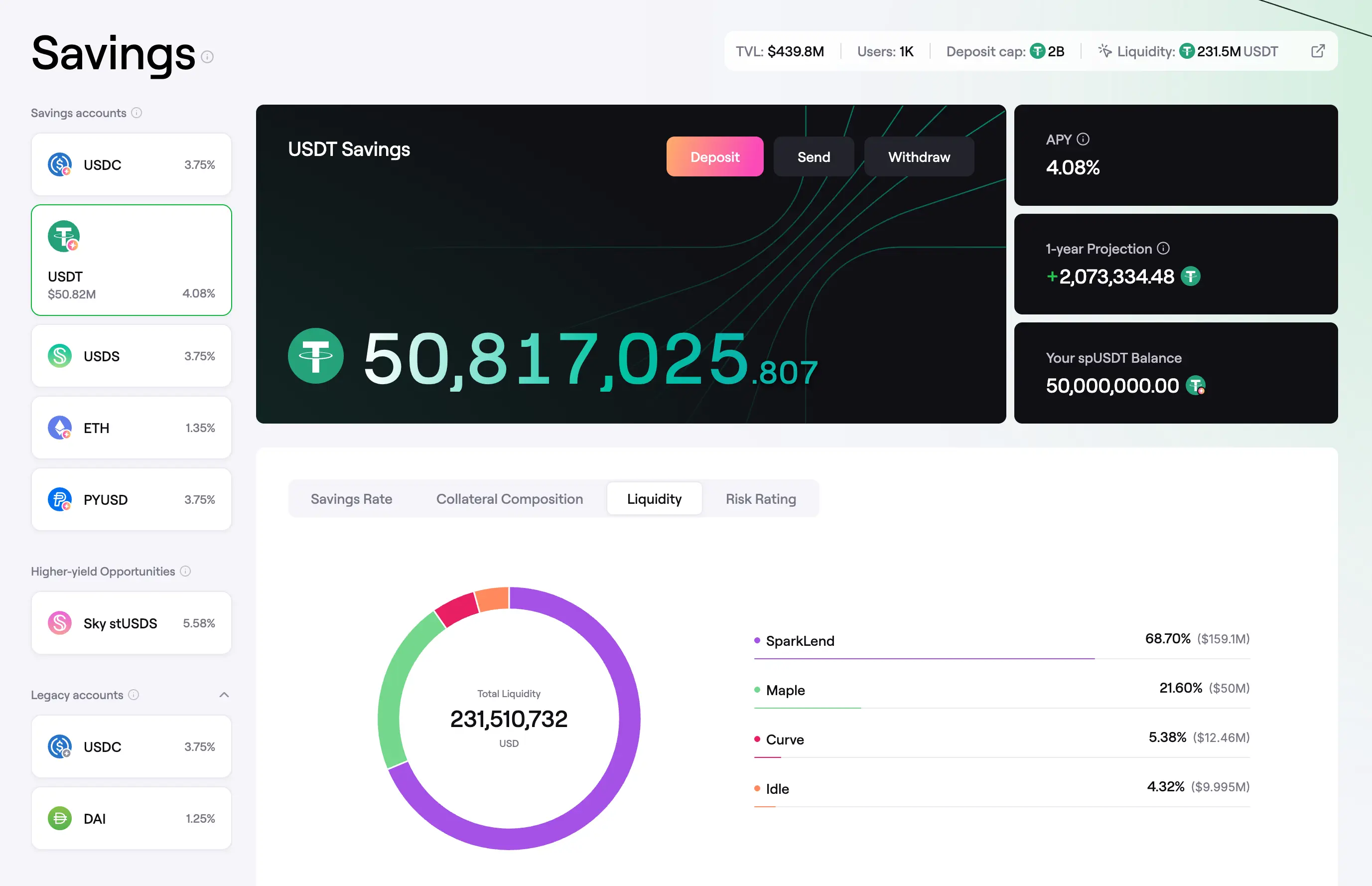 Savings page
- Open the Liquidity tab to see how vault liquidity is allocated. The amount labeled Idle is the liquidity currently available for instant withdrawals.
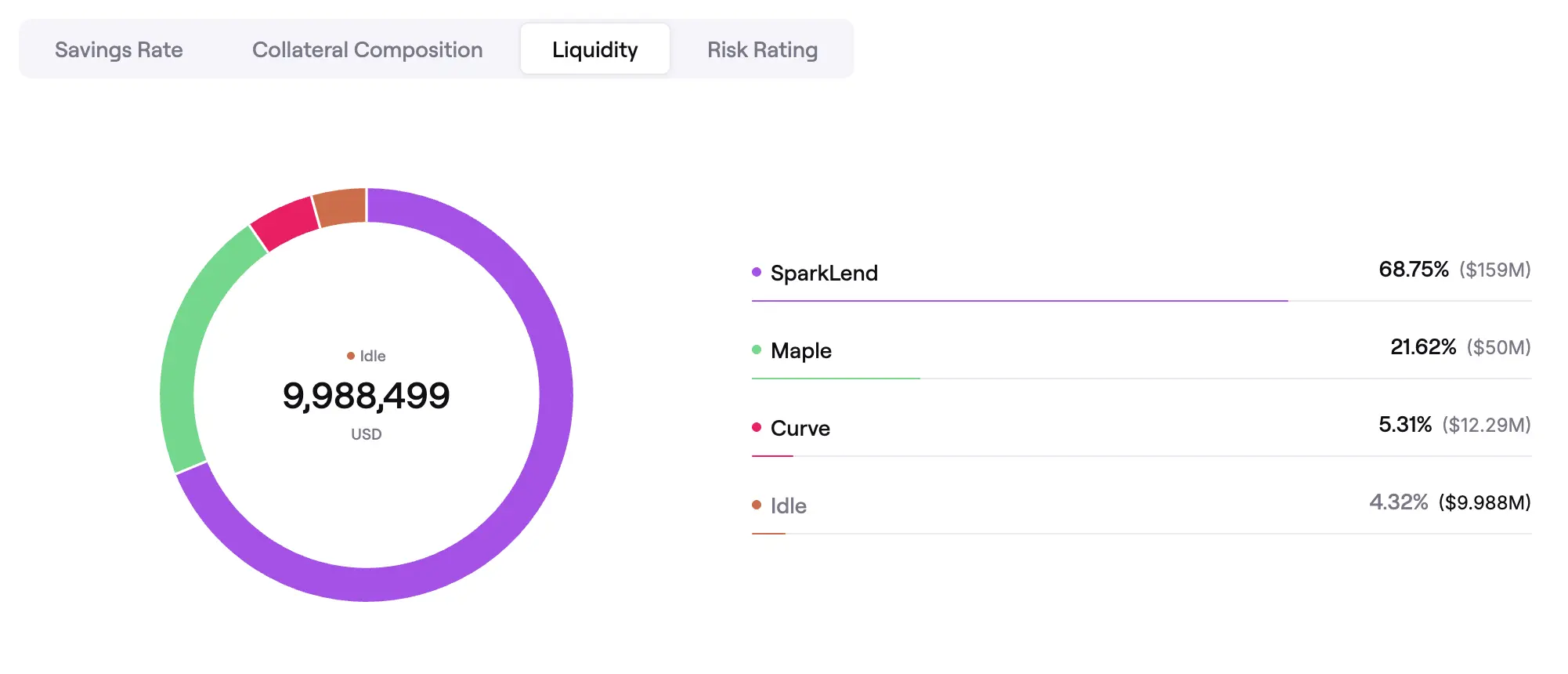 Idle liquidity
Request a larger withdrawal
-
Click the Withdraw button in the main vault panel.
-
In the withdraw window, the withdrawal asset is preselected for supported vaults. Enter the amount you want to withdraw.
-
If the withdrawal will use Savings Liquidity Intents, the dialog will show that the request uses the asynchronous withdrawal process powered by the Spark Liquidity Layer.
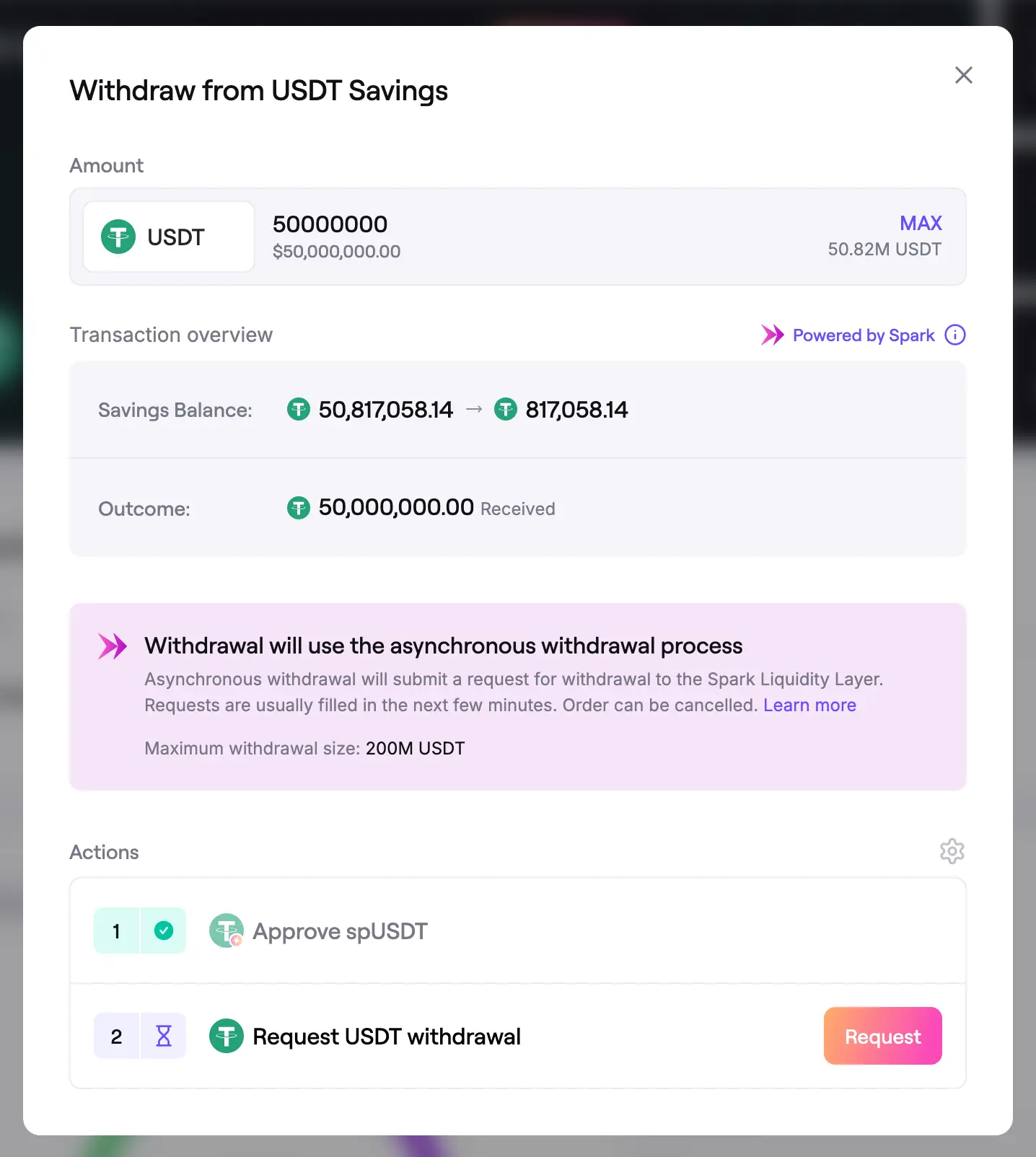 Withdraw with Savings Liquidity Intents
-
Complete the actions shown in the Actions section and confirm the request in your wallet.
-
After submission, the app will show a confirmation screen. This confirms that the withdrawal request was created. The Spark Liquidity Layer still needs to fulfill it before the funds arrive in your wallet.
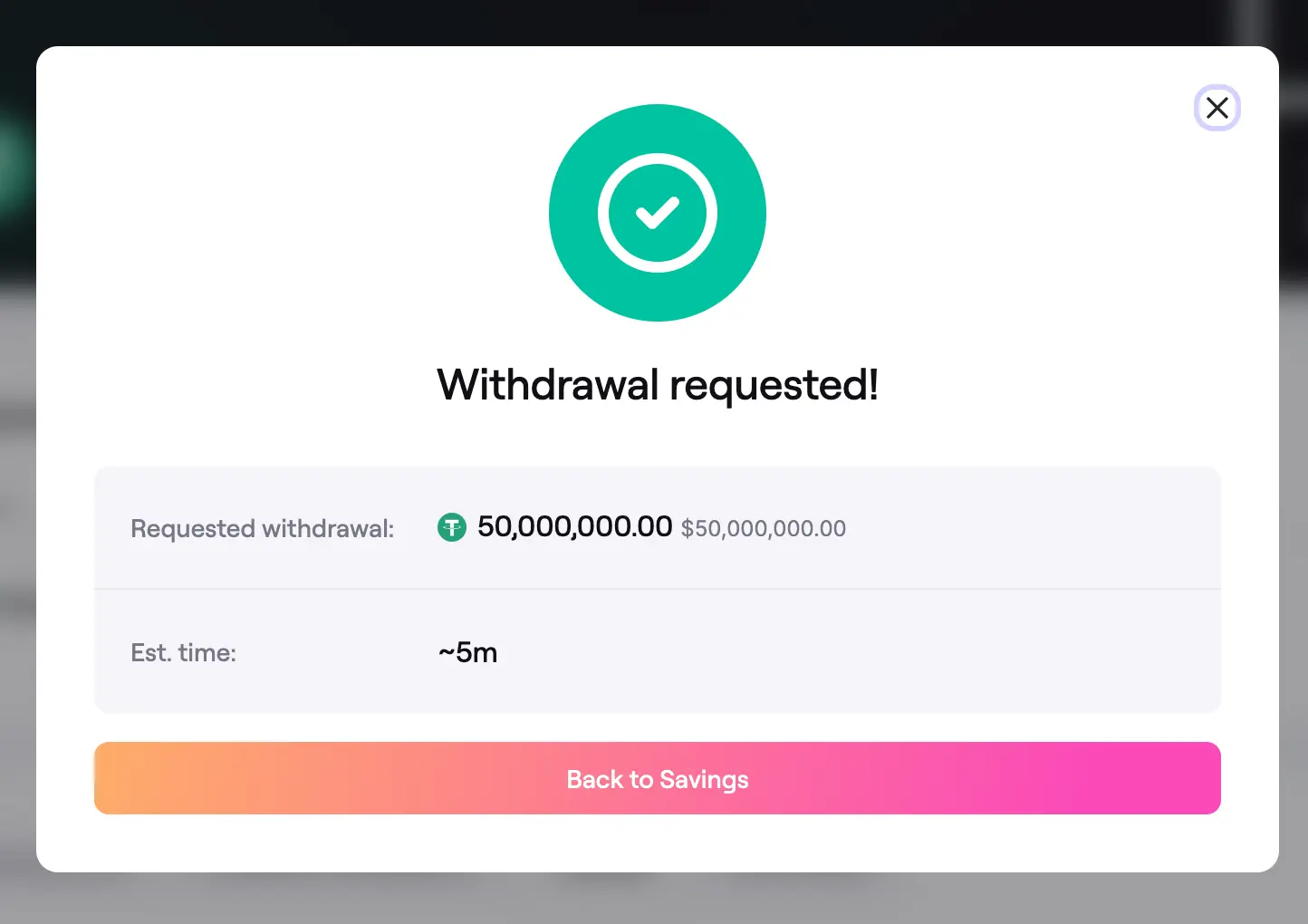 Withdrawal request submitted
- After you close the dialog, the request will appear in the Requested withdrawal table on the Savings page with a Pending status and an estimated completion time.
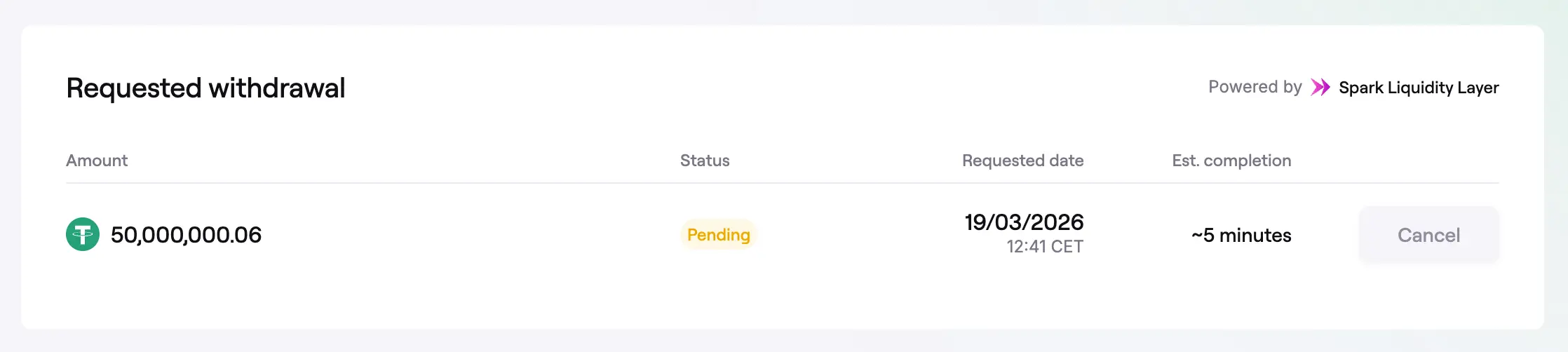 Pending withdrawal request
- Once the request is fulfilled, the withdrawn funds are transferred to your wallet automatically.
Cancel a withdrawal request
- Withdrawal requests cannot be cancelled during the first hour after submission. During that period, the Cancel button is disabled in the Requested withdrawal table.
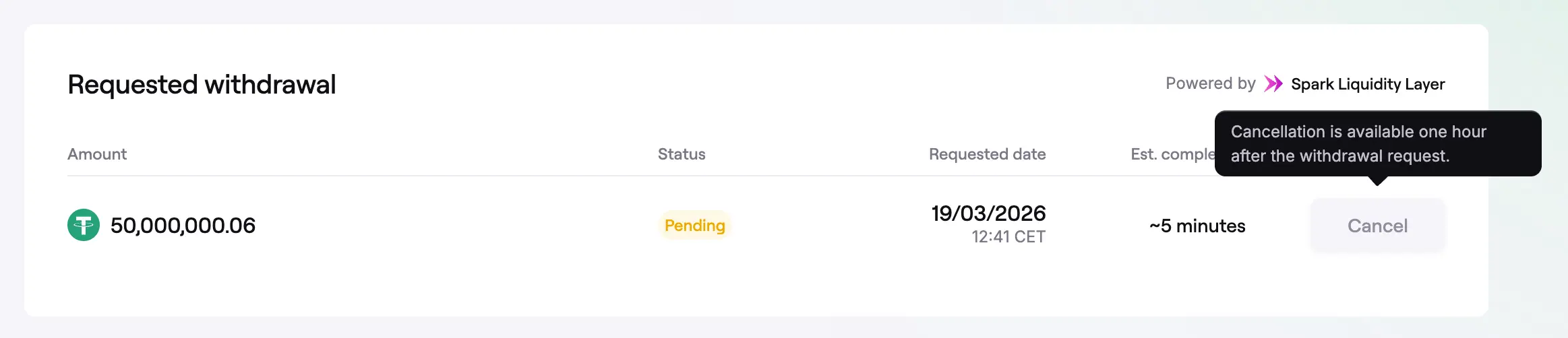 Cancellation unavailable during the first hour
- If the Spark Liquidity Layer has not fulfilled the request within one hour, the Cancel button becomes available.
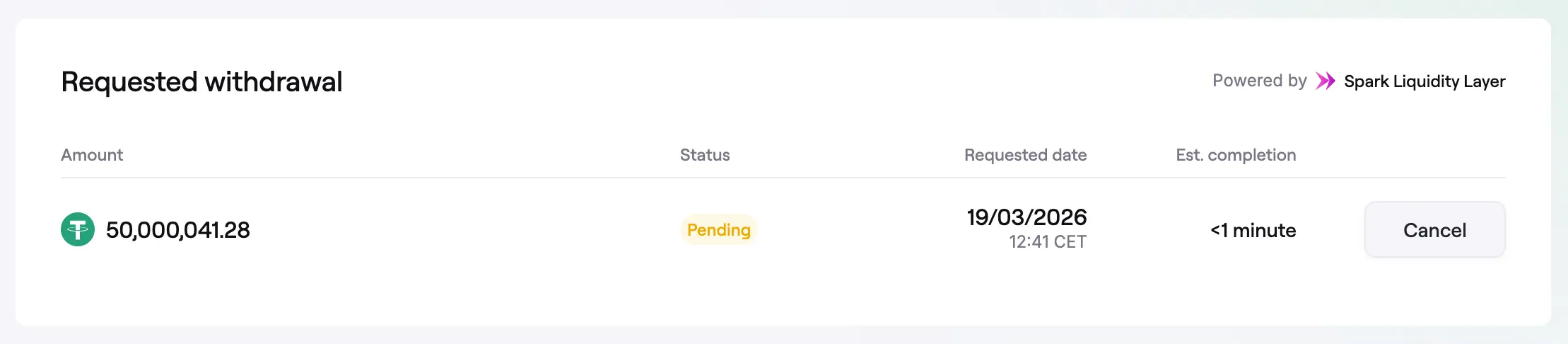 Cancellation available after one hour
- Click Cancel and confirm the cancellation request in the dialog.
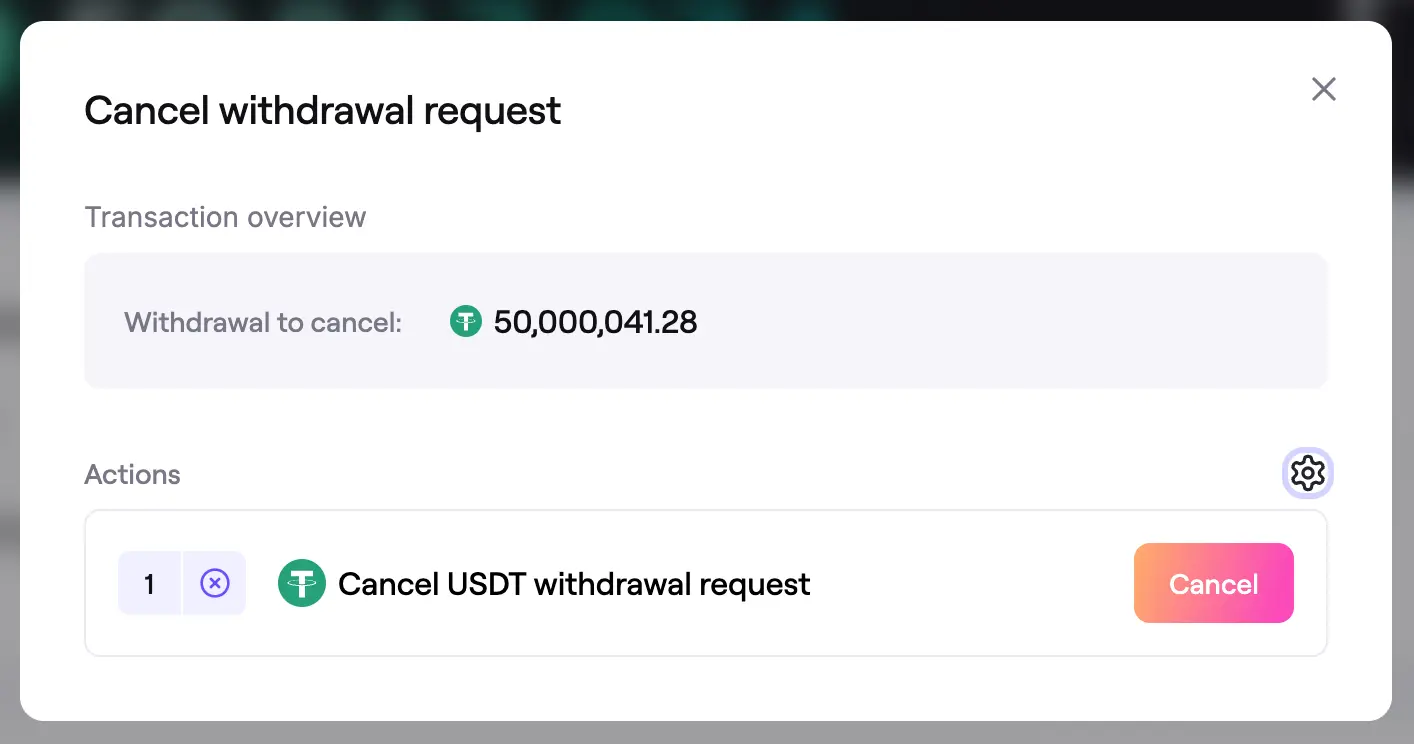 Cancel withdrawal request
- After the transaction is confirmed, the app will show a success screen confirming that the withdrawal request has been cancelled.
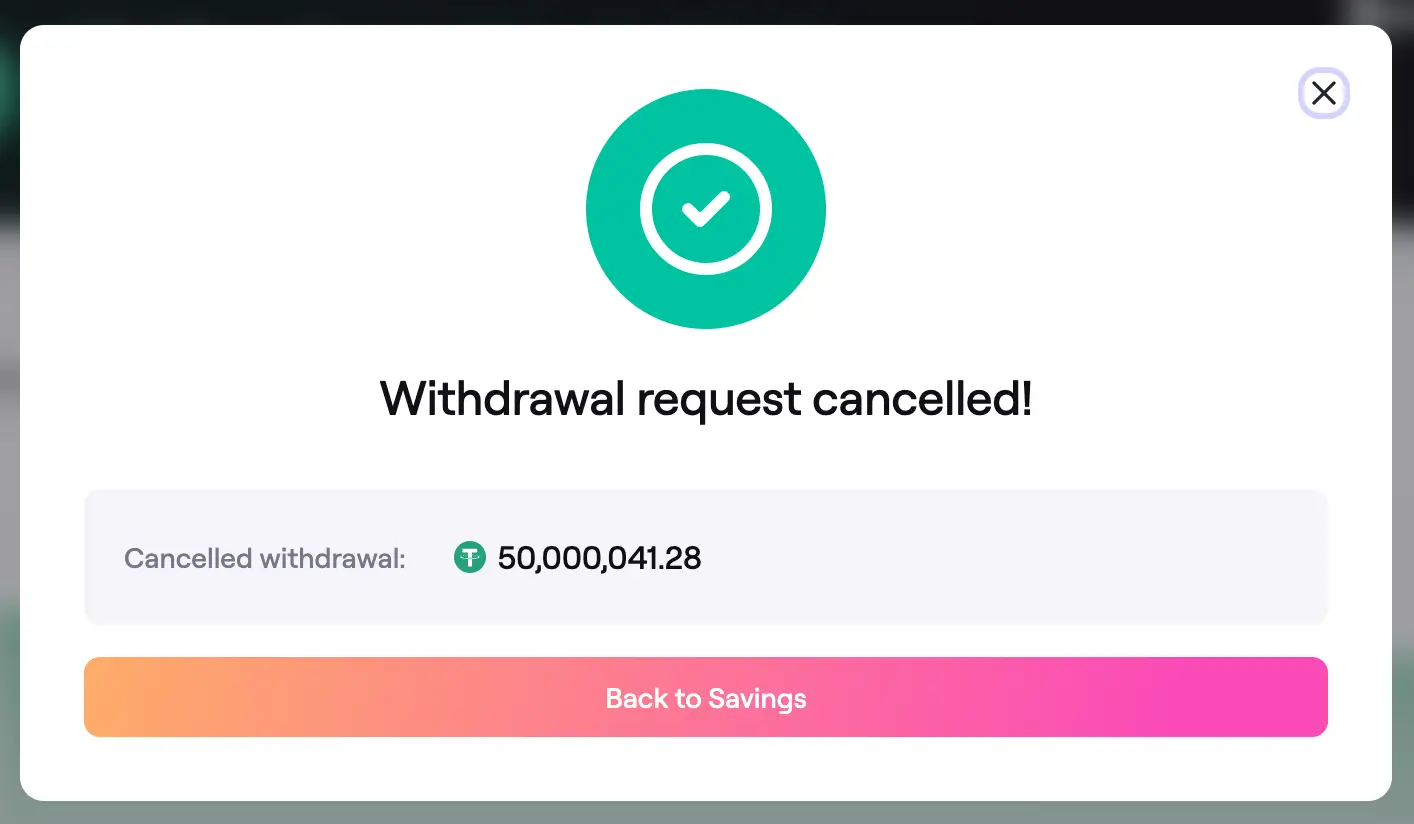 Withdrawal request cancelled